
Why would anyone learn DirectX 11 in 2026 with a book from 2012? Because it's fun. That's the real answer, and honestly the only one that matters. But if you want the logical justification: DX11 sits at a sweet spot. It's not as low-level as Vulkan or DX12 where you're basically writing your own memory allocator before you can draw a triangle, but it's close enough to the metal that you actually learn how a graphics pipeline works. I also wanted DX11 over OpenGL specifically because I make mods. Understanding the DirectX side of things opens doors when you're reverse engineering game engines, hooking render calls, or injecting custom shaders.
And yes, before anyone asks: I'm primarily a C# developer. Five years of Unity, 30+ shipped mobile games. So why go through Frank Luna's "Introduction to 3D Game Programming with DirectX 11" in C++? Because it's fun. Also because I want to sharpen my C++ skills and have something to brag about. Sue me.
I also set myself a rule: no LLM-generated code. This is old school. Just me, the book, and a compiler. I did use Claude to help me debug GPU driver issues in virtual machines, but every line of actual DirectX code is hand-typed and hand-debugged. The way our ancestors intended.
The Setup
The book was written against Visual Studio 2012 and the June 2010 DirectX SDK (the last standalone release before Microsoft folded it into the Windows SDK). I picked Visual Studio 2017 as my IDE; it's close enough to the book's VS2012/2015 that the instructions translate directly, and it's the last version of Visual Studio that doesn't feel like it's harvesting your telemetry to train an AI model. I also installed ReSharper C++ because I refuse to write code without proper type safety and inlay hints. If you've ever worked in a language with good tooling and then gone back to raw Visual Studio IntelliSense, you understand.
My original plan was to do everything in Windows 7. The book uses the old DirectX SDK, and I figured matching the era would keep things authentic. I was also under the (wrong) impression that the old SDK only worked on older Windows. Turns out you can install the June 2010 SDK on Windows 10 just fine. More on that later, because this misconception cost me a weekend.
The Book's First Gotcha: 32-bit Libraries
The book ships with precompiled libraries, but they're 32-bit only. If you want to build for x64 (and you do), you're on your own. The key library is Effects11, which implements the effects framework that the book's early chapters rely on heavily.
The Effects11 source code lives in the June 2010 SDK's samples directory:
C:\Program Files (x86)\Microsoft DirectX SDK (June 2010)\Samples\C++\Effects11
Open the solution, switch the configuration to Debug/Release x64, and build. You get Effects11.lib and Effects11d.lib (debug). Easy, right? Not quite.
You also need to grab the header file d3dx11effect.h from the Effects11 sample's Inc folder and drop it into your project's common includes directory. This header defines all the effects framework interfaces, and critically, it must be the version that matches the library you just built. If you accidentally use a newer version of this header (say, from Microsoft's GitHub FX11 repository), the vtable layouts won't match and you'll get bizarre crashes where method calls jump to null pointers. I learned this the fun way.
The Linker Error Gauntlet
The first time I hit Build on the book's BoxDemo sample, I was greeted with:
error LNK2019: unresolved external symbol D3DCompileFromFile
referenced in function D3DX11CompileEffectFromFile
The function D3DCompileFromFile was introduced in D3DCompiler_47, which ships with the Windows 8.1+ SDK. The June 2010 SDK only includes D3DCompiler_43, which doesn't have it. But wait, the Effects11 source code actually has a compile-time branch for this:
#if D3D_COMPILER_VERSION >= 46

    HRESULT hr = D3DCompileFromFile(...); // modern path

#else

    // fallback: load file manually, then call D3DCompile()

    hr = D3DCompile(...);

#endif
The problem is that D3D_COMPILER_VERSION is defined inside d3dcompiler.h based on the header's own version. Even if you add D3D_COMPILER_VERSION=43 to your preprocessor definitions, the header silently overrides it when it's included. The fix is to force the issue after the include:
cpp#include <d3dcompiler.h>

#undef D3D_COMPILER_VERSION

#define D3D_COMPILER_VERSION 43
Add this to the Effects11 source (specifically in the file that contains D3DX11CompileEffectFromFile), rebuild, and the linker error goes away. The fallback path uses D3DCompile which exists in D3DCompiler_43, so everything resolves.
Compiled Effects11 Libraries (x64)
For those following along, I'm providing my compiled Effects11 x64 libraries here so you don't have to fight through the same build process:
<!-- Ill upload Effects11.lib and Effects11d.lib as soon as I get back to my Win10 drive -->
These were compiled from the June 2010 DirectX SDK's source with the D3D_COMPILER_VERSION fix described above, targeting x64 Debug and Release.
A word of caution: you really should compile these yourself. I'm putting them here for convenience, but downloading precompiled .lib files from some random guy's blog and linking them into your project is not a great habit. A malicious library can inject arbitrary code into your executable at link time, and you'd never know by looking at your own source.
The whole point of this exercise is learning; take the twenty minutes to open the Effects11 solution, apply the compiler version fix, build it yourself, and know exactly what's going into your binary. If you're too lazy for that, at least verify the file hashes against what you'd get from a clean build. The instructions are all above.
Blocking Modern DirectX Headers
There's another subtle issue when mixing the old DirectX SDK with a modern Visual Studio installation. The Windows SDK that ships with VS2017 includes its own DirectX headers (d3d11.h, dxgi.h, etc.), and the compiler's default include paths will pick these up alongside or instead of the ones from the June 2010 SDK. This can cause conflicts: modern headers reference types and functions that don't exist in the old runtime, and the old SDK headers define things differently than the modern ones.
To keep the old SDK's include directory clean and prevent the modern headers from leaking in, I created stub header files in the DirectX SDK's Include directory. These are empty files (or files with just an include guard) that shadow the modern SDK headers, ensuring that when the compiler searches the DirectX SDK include path first, it finds these stubs instead of pulling in incompatible modern definitions.
<!-- ILL ALSO ADD HEADERS AS SOON AS I GET BACK TO WIN10 DRIVE-->
The alternative is to carefully manage your include directory order in the project settings and make sure the old SDK's Include path comes before the Windows SDK path. But the stub approach is more bulletproof; it prevents accidental includes regardless of path ordering.
The VirtualBox Saga
With the code compiling and linking, I fired up my Windows 7 VirtualBox VM. The program launched and immediately crashed:
The procedure entry point CreateFile2 could not be located
in the dynamic link library KERNEL32.dll.
CreateFile2 is a Windows 8+ API. Windows 7's kernel32.dll simply doesn't have it. But I'm not calling it anywhere in my code. So where's it coming from?
I ran dumpbin /imports on my executable and found it listed under KERNEL32.dll. The culprit was the Universal C Runtime (UCRT) that ships with VS2017. The modern CRT internally imports CreateFile2 in its import table unconditionally; it doesn't do a runtime GetProcAddress check. So even though I'm building on Windows 7, the resulting binary demands a Win8+ API at load time.
The fix would be switching to the v141_xp platform toolset, which forces the CRT to avoid Win8+ APIs. But I had bigger problems ahead.
VirtualBox Can't Handle It
After sorting out the CRT issue, the program finally launched. The window appeared, the shader compiled, the effect loaded. Then on the first frame:
Error Code: DXGI_ERROR_DEVICE_REMOVED (0x887A0005)
Calling: mSwapChain->Present(0, 0)
I called GetDeviceRemovedReason() and got 0x887A0020: DXGI_ERROR_DRIVER_INTERNAL_ERROR. VirtualBox's D3D11 driver (VBoxDX.dll) just straight up crashed during the render pass.
I tried VMware Workstation next. Same story, different error messages. Virtual GPU drivers in 2026 still can't reliably handle D3D11 effects rendering. The emulated GPUs report feature level 11_0 and even pass the MSAA quality check, but they fall over the moment you try to actually render through the effects framework.
I verified this by writing a small test program that creates a D3D11 device and queries its feature level. Both VirtualBox and VMware happily reported D3D_FEATURE_LEVEL_11_0 (0xB000). They just couldn't follow through on the promise.
GPU Passthrough: Almost, But Not Quite
My workstation has dual RTX 3090s running Fedora with KVM/QEMU. The obvious next thought: pass one GPU through to the VM. I set up virt-manager, identified which GPU my monitor was connected to (the one at PCI address 2d:00.0), and tried to pass through the free one (24:00.0).
KDE Plasma's Wayland compositor, along with every KDE service (Akonadi, kwalletd6, Dolphin, Konsole...), Discord, Brave, and basically everything running on my desktop had opened file descriptors to both GPUs through the nvidia driver. You can't unbind a GPU from the nvidia kernel module while any process holds a handle to it. And you can't close those handles without killing half your desktop.
The solution would be to grab the GPU at boot time with a systemd service that binds it to vfio-pci before the display manager starts. But that permanently reserves one 3090 away from AI/LLM work, which is what I use both GPUs for daily.
The Obvious Solution
I dual boot Windows 10.
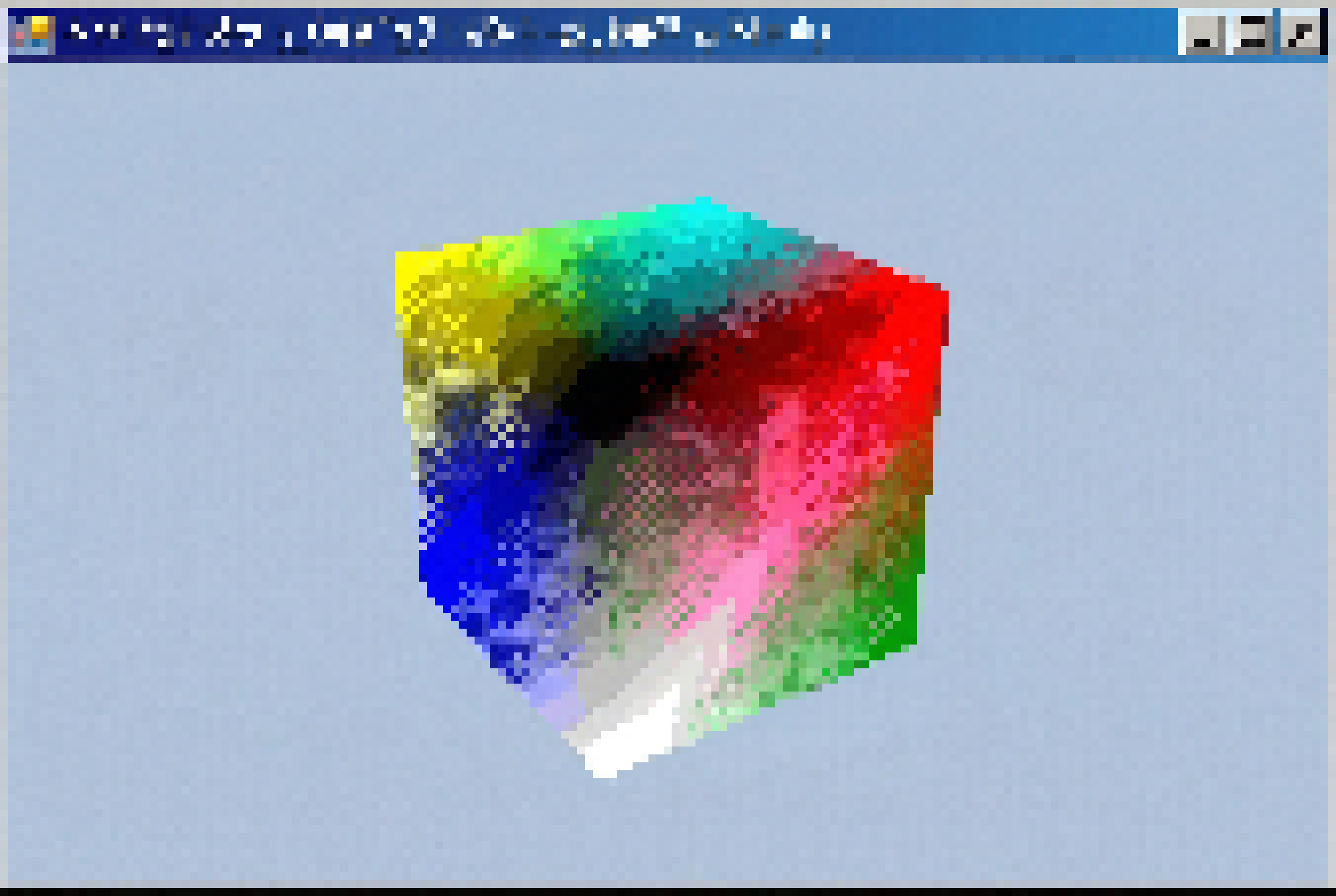
The Frank Luna BoxDemo code compiled, linked, and rendered a spinning colored cube on the first try. No driver crashes, no missing API entry points, no vtable mismatches. Just a box, spinning on screen, exactly as the book describes.
Sometimes the right answer isn't the clever one. The old DirectX SDK installs fine on Windows 10. The June 2010 D3DCompiler_43.dll works. The Effects11 library (compiled with the version fix) loads and runs. You get a real GPU with real drivers that actually support what they claim to support.
Lessons Learned
I spent a weekend fighting with virtual GPU drivers, CRT compatibility, and PCI passthrough to avoid booting into Windows. In the process, I learned more about linker resolution order, UCRT internals, IOMMU groups, vtable layouts, and GPU driver architecture than any tutorial could teach. None of it was in the book. All of it was valuable.
The actual DirectX 11 learning starts now. Old book, real hardware, no AI-generated code. Just the API, the shader compiler, and a lot of HR() macros. The way it should be.